Don’t hesitate to contact us:
Forum: discuss.graphhopper.com
Email: support@graphhopper.com
We are happy to announce further improvements of our services.
Please note that we will remove the possibility to use TLS 1.0 and 1.1 in approx. 6 weeks. On 1. September these older protocols won’t be possible anymore. Nearly all clients should use more recent versions already, so highly likely no action must be taken from your side. (see also this update)
A good example of our steady research and tuning work is that we were able to make requests towards our Matrix API significantly faster again. Read the details in this blog post. In addition to these efforts we made our Route Optimization API significantly faster for bigger problems. Read this new tutorial and try out our Route Editor, where you can now drag markers on the map to easily modify your vehicle routing problems.
The Matrix API has a new, heavily requested feature “fail_fast=false”. This means instead of failing the whole request for only a few “route not found” and “connection not found” problems, the Matrix API returns “null” entries for the failed entries with a detailed error description if you specify fail_fast=false. This is especially useful for big matrices where some coordinates could be faulty and you want to exclude them on a second request. This feature is also available for the Route Optimization API.
We updated the path details feature, especially useful if you are using the Routing API:
If you want to calculate a route and the start location is close to a bridge or motorway, it might happen that we incorrectly snap the location to the bridge or motorway e.g. due to GPS errors or similar. Although a previous released configuration can improve the situation, sometimes it would be handy to just specify that “for delivery the location cannot be on a motorway or bridge”. This is exactly what we implement with the new feature “snap preventions”. It is available for the Routing, Matrix and Route Optimization API. This feature can be used to avoid wrong snaps onto motorways, tunnels, bridges, fords or ferries. It is configurable per request so that you can satisfy different use cases. See this example for more details.
These improvements are only the most visible ones. Of course we heavily work on our infrastructure to make it faster and more resilient nearly every day. Additionally, we continuously invest in research and development, and will hopefully be able to share more exciting news in the coming months.
See you at state of the map in Heidelberg, Germany. Happy routing!
Your GraphHopper Team
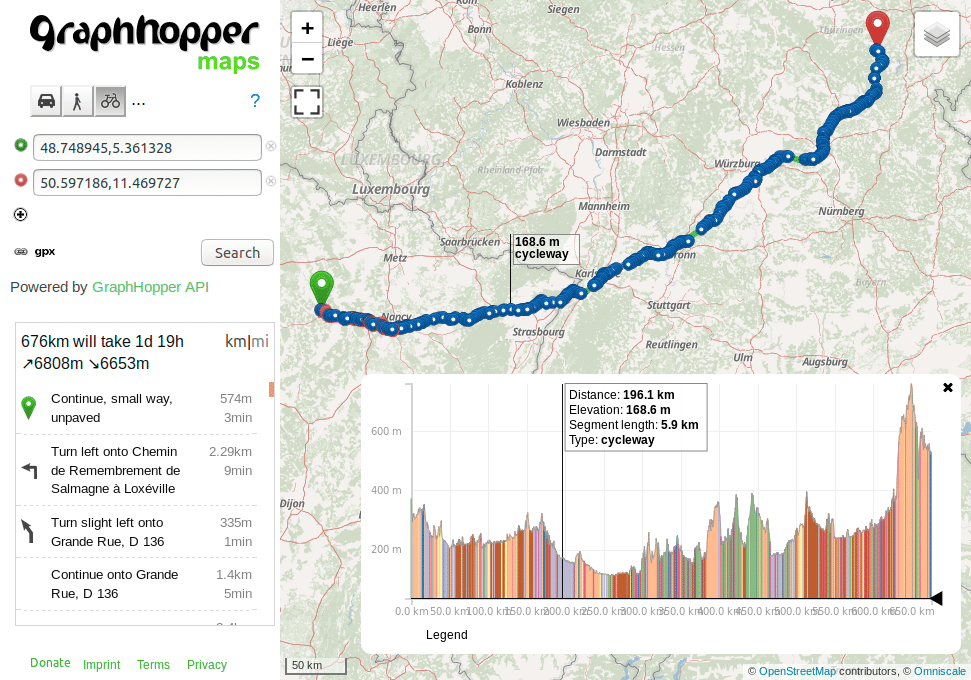
The Routing API has supported path details for 2 years, but had some limitations. E.g. the details like cycleway, or bridleway where missing, which is now returned instead of a generic “other” value. Also path details are now supported for the TomTom add-on.
Before:
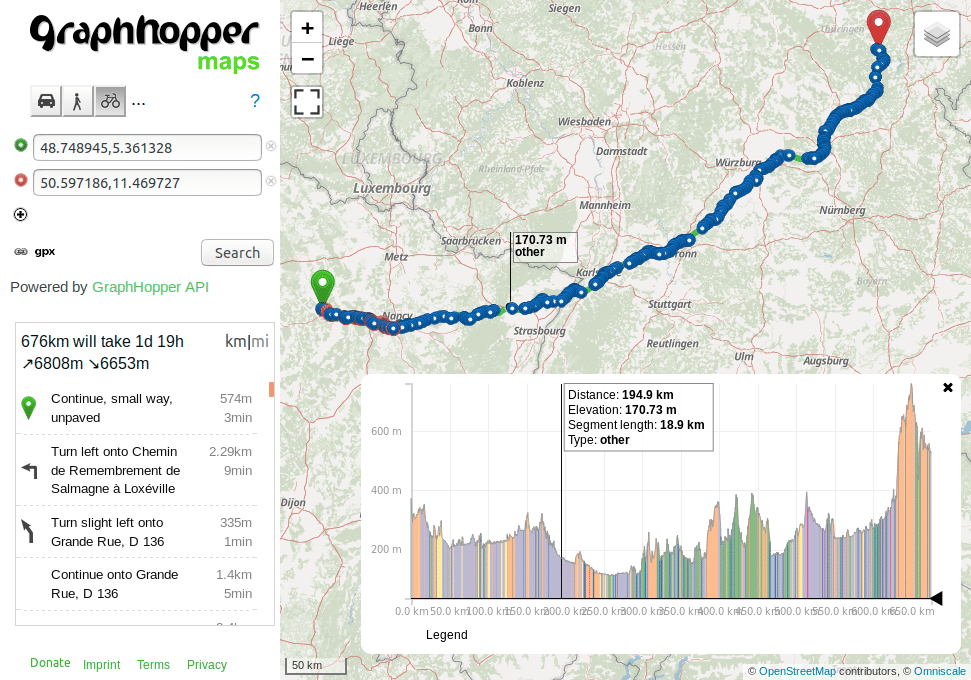
Afterwards:
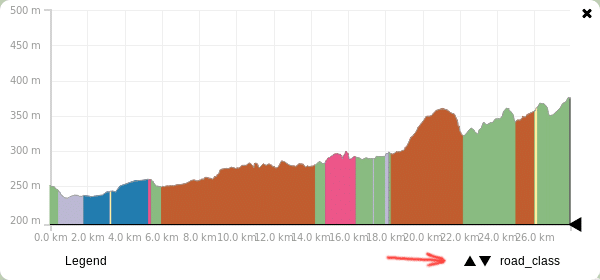
If you want to see this feature in action on GraphHopper Maps you currently have to add two parameters to the URL:
&details=road_class&debug=true
If you add multiple details like
&details=max_speed&details=road_environment&debug=true
you can switch them in the elevation widget in the bottom right corner:
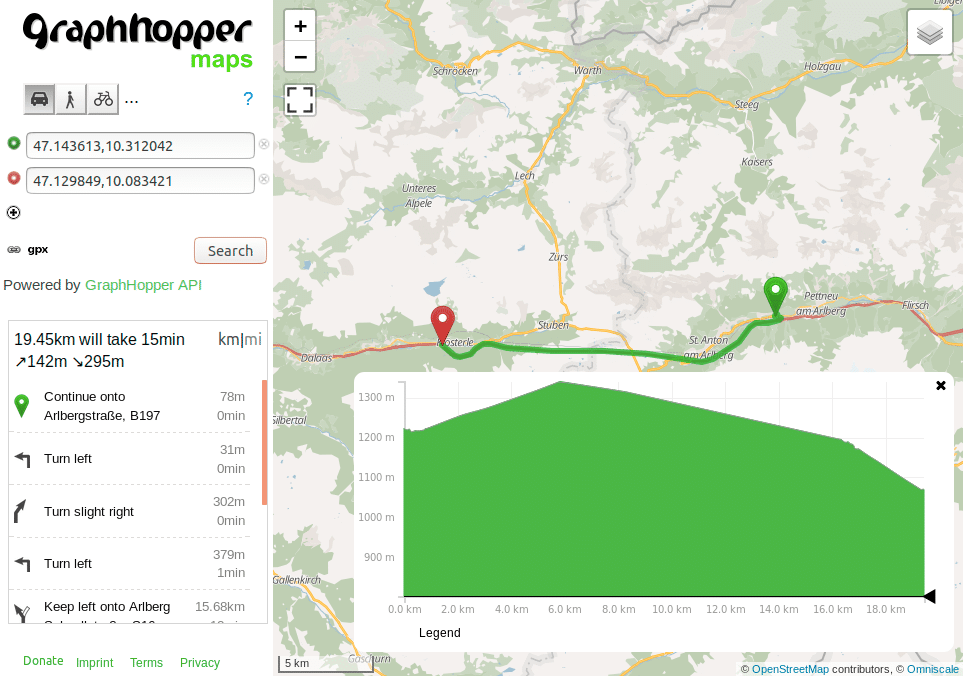
If you include elevation in your response you might have noticed that this is wrong for tunnels: elevation should not be picked from the hill and instead should be interpolated from the start and end elevation. Years ago we got a nice contribution fixing this issue but it wasn’t easily possible to bring this into production due to some limitations and much bigger memory requirements. After a heavy refactoring we were now able to bring this into production. Enjoy also more precise distance and ETA values in mountained area.
Before:
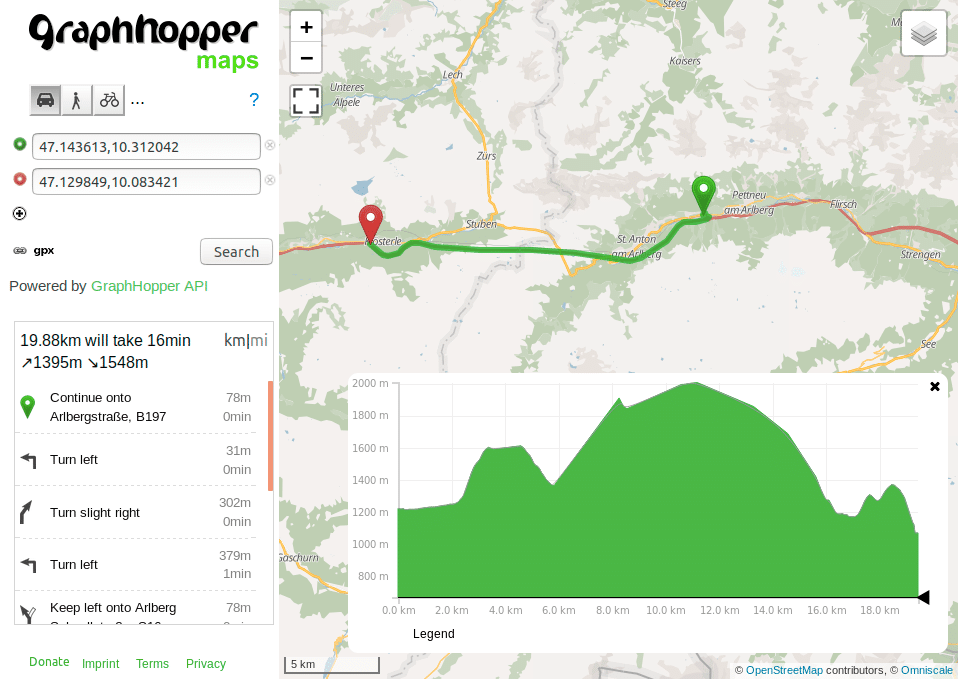
Afterwards. The interpolation does not only improve the ascent (142m vs. 1395m before) and descent (295m vs. 1548m before) but the distance is slightly improved (430m shorter):
Happy Routing!
Your GraphHopper Team
