Don’t hesitate to contact us:
Forum: discuss.graphhopper.com
Email: support@graphhopper.com
Today you’ll learn how to install our recently released GraphHopper Routing Engine 0.11 with JDK 11 that was released today.
wget http://download.geofabrik.de/europe/germany/berlin-latest.osm.pbfDownload JDK 11
wget https://raw.githubusercontent.com/sormuras/bach/master/install-jdk.sh # use a custom JDK with: ./install-jdk.sh -u "https://..." JAVA_HOME=~/jdk11; bash ./install-jdk.sh -f 11 --target $JAVA_HOME; PATH=$JAVA_HOME/bin:$PATHDownload and start the routing engine with JDK 11
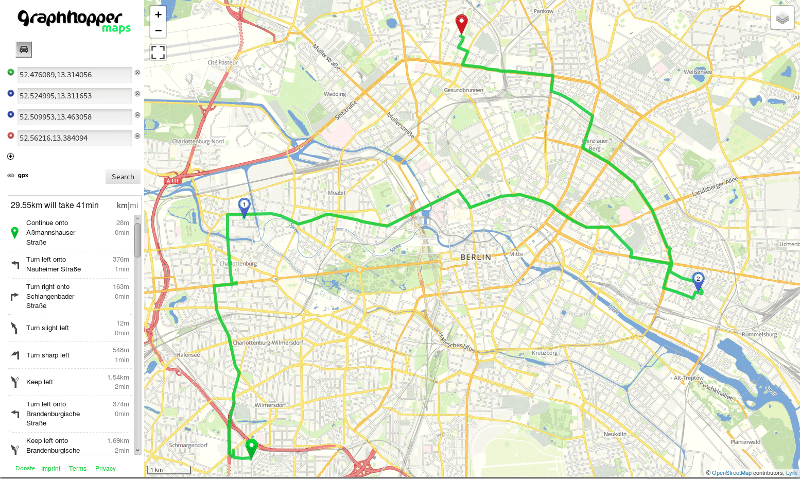
wget https://graphhopper.com/public/releases/graphhopper-web-0.11.0.jar wget https://raw.githubusercontent.com/graphhopper/graphhopper/0.11/config-example.yml java -Xms1g -Xmx1g -Dgraphhopper.datareader.file=berlin-latest.osm.pbf -Dgraphhopper.graph.location=graph-cache -Dgraphhopper.graph.flag_encoders=car -jar graphhopper-web-0.11.0.jar server config-example.ymlAfter a few seconds you should see “Started application@..localhost:8989” then go to localhost:8989 with your browser. Now you can add locations via right click or address search on the left:
This is our GraphHopper Maps demo application and it uses the web service at localhost:8989/route, which is documented here. You can see that not only A-to-B routing is supported but also isochrone requests at localhost:8989/isochrone, calculating the reachable area from one location. The tiles are fetched from an external service as well as the geocoding is done by Nominatim, not GraphHopper.
For production usage tiles can be bought from Thunderforest, Omniscale or MapTiler Cloud and Geocoding could be done using the GraphHopper Geocoding API that also supports autocompletion.
You can find an always up-to-date installation documentation in the Readme.
To import not only car but e.g. car, bike and walking you remove the graph-cache (rm -rf graph-cache) and restart the engine with a slightly different flag_encoders parameter. Additionally we enable elevation:
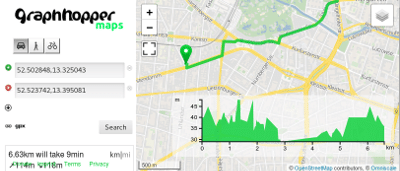
java -Xms1g -Xmx1g -Dgraphhopper.datareader.file=berlin-latest.osm.pbf -Dgraphhopper.graph.location=graph-cache -Dgraphhopper.graph.flag_encoders=car,bike,foot -Dgraphhopper.graph.elevation.provider=srtm -jar graphhopper-web-0.11.0.jar server config-example.ymlBe patient. This will take slightly longer to start as for every profile we precalculate helper files to make routing fast even on a continental scale. After you refreshed the browser you’ll see an elevation window in the bottom right corner and different vehicle profiles in the top left.
To make this work with a world wide coverage you download the necessary planet file from OpenStreetMap and walk through this deployment guide.
We heavily worked during the hot summer to improve our services for you.
The Map Matching API got faster – try it on the example website. If you do not know yet what this API is about and why fleet owners can benefit from it, read more in its documentation.
The Route Optimization API got significantly faster for large shipment-based problems (>> 100 shipments). Furthermore, the API supports street snapping to better control the assignment of geo-locations to network links at the level of the vehicle routing problem. Additionally, we added another way to balance load among vehicle, i.e. balance the number of activities to achieve a more evenly distribution of work load.
We made some experiments with our Isochrone API – read more about it here.
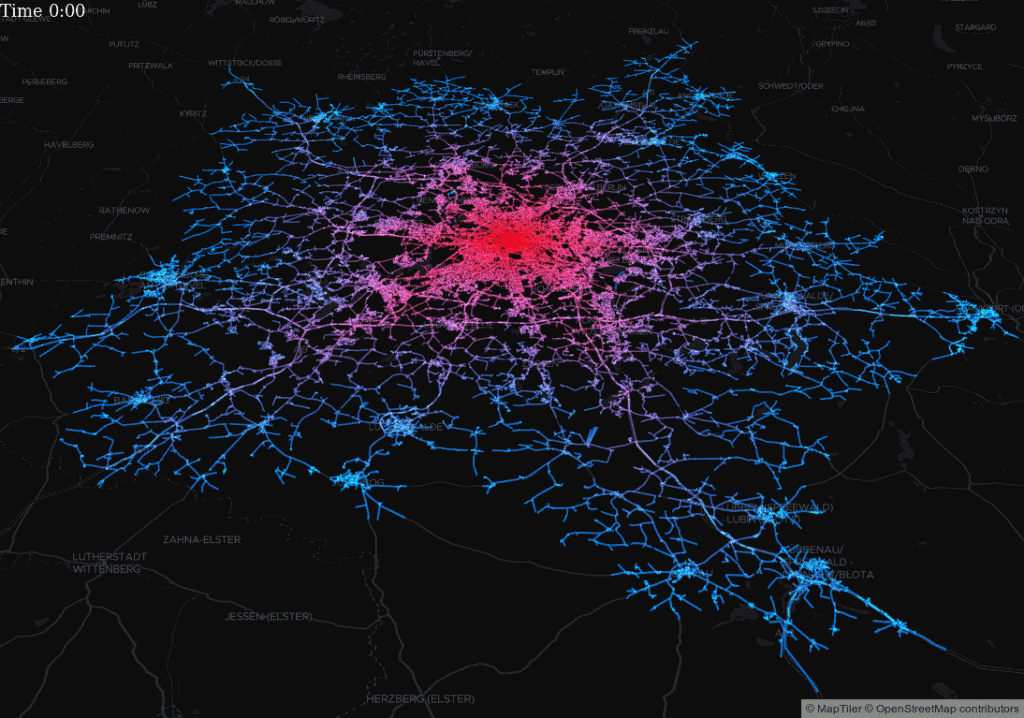
Based on the Isochrone module interesting visualizations are possible
Recently, we changed the credit cost of our Geocoding API and within the same daily limit you can now send more requests.
Furthermore, we released a new version 0.11 of our open source routing engine that we base our commercial products on.
Happy Routing!
After 6 months of hard work we are happy to announce the new release 0.11 of the GraphHopper routing engine. See the discussion about it in our forum.
Finally, the isochrone module is open source, see issue #1237! The isochrone API calculates the reachable area for a given origin, travel mode, and time budget:
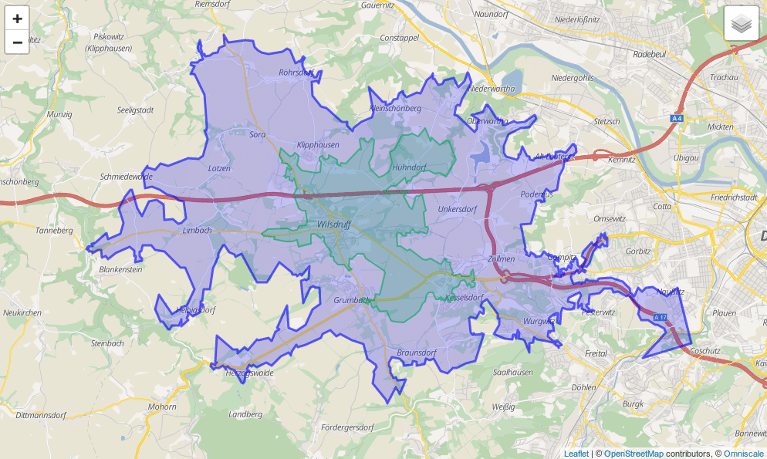
How far can you get within 10 or 20 minutes of driving?
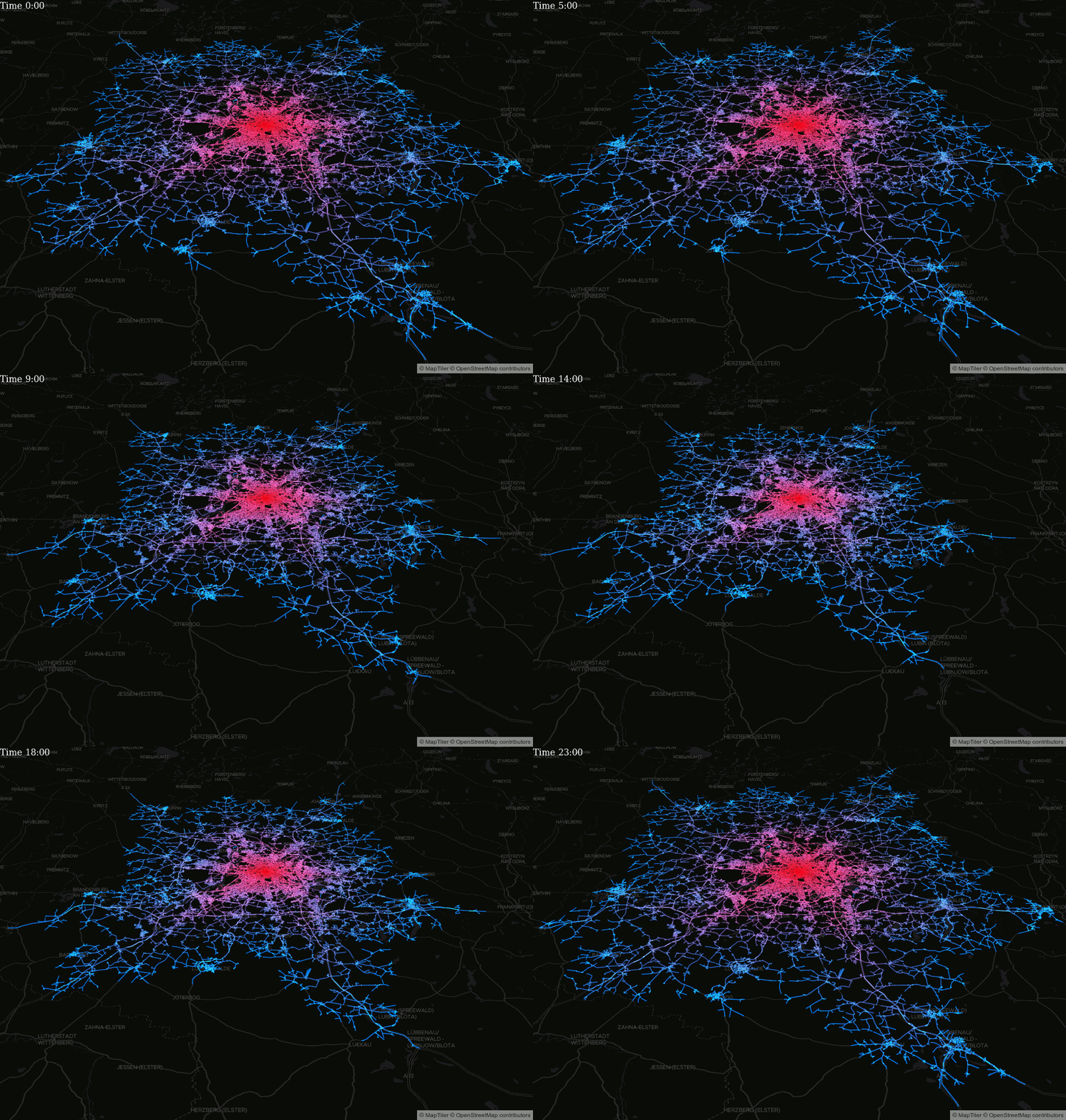
Based on the Isochrone module interesting visualizations are possible
We are now using the web framework dropwizard that comes with a whole community :), monitoring and testing tools (#1314).
The public transit module has also improved, e.g. now it supports multiple GTFS feeds and the GTFS realtime feature got faster. Read more about our real time Portland demo in a previous blog post.
We introduced an open source navigation library that can be used to easily create Android apps with navigation using any GraphHopper server, ie. use either the open source routing engine or the GraphHopper Directions API. It has no stable release yet. See the demo app we’ve created based on this library.
Map matching is now much faster and snapping for start and end is not necessarily on a node anymore. Try it live on the example website.
Here are further important changes besides over 30 pull requests:
… and checkout our other open source projects!